What You'll Need
You've probably seen a lot of smart home advice that's way too complicated, or way too basic. After years of building my own, I've landed on three goals that actually matter. Your smart home should be invisible — working so seamlessly you forget it's there. It should have high spouse approval — meaning nobody in your house (or guests) gets annoyed by it. And it should be reliable long-term — not a money pit that breaks in six months.
Let's build that.
You don't need everything at once. Here's the big picture:
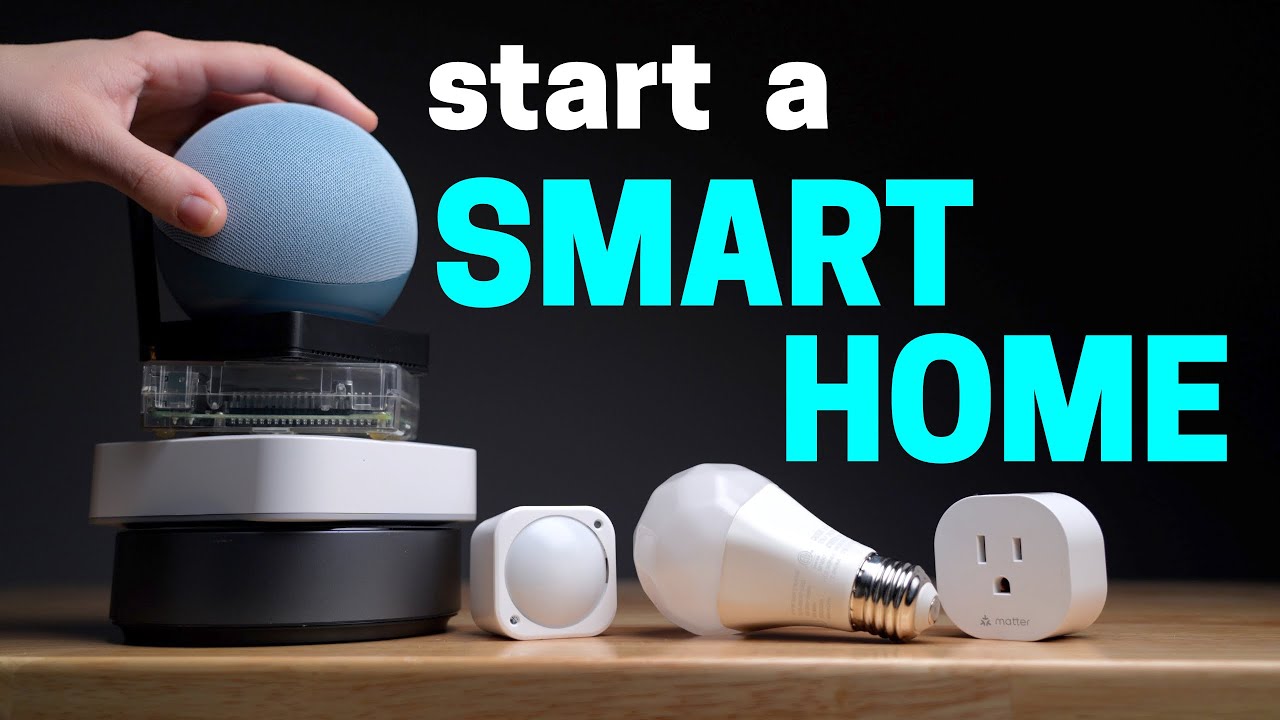
- A smart home system/controller (the brain)
- Sensors (motion, contact, presence)
- Smart devices (switches, lights, locks, etc.)
- A good Wi-Fi system (don't skimp here)
- Smart buttons for weird corner cases
Step 1: Decide How You'll Control It
Most people start by buying a bunch of smart speakers and thinking they'll use voice commands for everything. That's what I did. Now I barely talk to these things. Voice commands are clunky — you have to remember exactly what to say, and it's not exactly "seamless" when you're standing there repeating yourself.
Use smart speakers for music and voice notifications. Maybe a handful of couch-friendly voice commands. That's it.
Don't rely on individual smart home apps either. Too much switching around. Use a dashboard that combines everything into one spot. You can pull it up on your phone, or put a shared tablet on the wall for the family.
But the ideal way to control your smart home? Sensors. They make your home adjust automatically based on what you're actually doing — walking into a room, opening the garage, using the kitchen counter. That's invisible. That's seamless.
Smart buttons fill in the gaps. We have one in the bathroom that sends the robot vacuum to clean that room. The timing is sporadic, so a sensor wouldn't work. I don't want to remember a voice command. I don't need a full dashboard in the bathroom. Button works.
Step 2: Pick Your Smart Home System
This is the brain. It connects all your devices, runs automations, and gives you that unified dashboard.
Here's the counterintuitive part: An "easy" system like Alexa or Google Home might seem like the right choice, but it'll limit you. You can't do things like "don't turn on motion lights if the TV is on" or "pause automations when guests are over." A more advanced system actually ends up being more family-friendly because you can customize it exactly how your family needs.
What about device protocols?
- Wi-Fi — Works fine if you have a good router. Don't believe the people who say avoid it entirely.
- Zigbee — My pick. Widest device selection, lots of inexpensive options, very reliable.
- Z-Wave — Solid alternative.
- Thread — Still new. You'll find fewer devices, and they cost more. Can be finicky.
How much tinkering do you want to do?
- Home Assistant — Free, open-source, most powerful. Requires some tinkering, but it's gotten way easier. I personally don't mind — building something in my quiet garage is a nice break.
- Hubitat — Good middle ground.
- Apple HomeKit — Simple, reliable, but limited device support.
Home Assistant is the clear winner for me. But if tinkering isn't your thing, that's fine.
Step 3: Choose Your Smart Devices
I've tried a lot of devices over the years. I only keep the ones I love.
On Matter: Don't limit yourself to Matter-compatible devices. Matter is still being developed, and you could wait forever. Zigbee, Z-Wave, and Thread already give you local control without the cloud.
Speaking of the cloud: Prioritize devices that don't require the cloud to work. If the company goes out of business, your device still works. That's long-term reliability.
On Wi-Fi devices: If you have a good router with multiple access points (or a good mesh system), Wi-Fi devices are fine. Don't skimp on your Wi-Fi — your family relies on it for everything.
Step 4: Build Automations (Start Simple)
This is where it feels like magic. But don't get carried away.
Start with one room. Better yet, start with one problem. Think about something annoying in your daily routine and automate it. Then move to the next one. This keeps things manageable so if something breaks, you know where to look.
And things will break. Your family is a PhD-level automation breaker. The fix is usually simple — add extra conditions. Stop the automation from running if guests are over, if the TV is on, if someone's away from the house.
Making perfect automations is a thankless job. If they run perfectly, nobody notices. That's the point. But if they break, you'll hear about it.
Still worth it. I don't have to focus on mundane tasks anymore. I spend that time with my wife and kids.
Quick Answers to Common Questions
How should I name automations and devices? Be descriptive. Include the room. That way you can search for "kitchen" and everything pops up.
Homebridge or Home Assistant? Home Assistant. It has Homebridge built in, plus way more features.
Best Zigbee repeaters? I use inexpensive Sonoff Zigbee outlets. The Aqara pet feeder also works as a repeater.
Start with smart switches? Yes. Everyone can still use them normally, but you get automation. They were the first thing I added to this house.
How to switch from SmartThings to Home Assistant? Home Assistant has a SmartThings integration. Bring your devices in, then slowly disconnect them from SmartThings.
Should I stick with one company? For light switches, yes — uniform look, easier for family. For light strips, doesn't matter much.
How do I stop spending so much money? I feel you.
Which hubs work well together? Apple HomeKit and Home Assistant complement each other perfectly. Both run locally, both are reliable.